
When managing international shipments, documentation plays a critical role in ensuring smooth customs clearance and border processing. The ShipTime platform allows users to upload and attach FDA documents to existing international shipments, helping businesses maintain compliance with customs requirements while improving shipping visibility.
ShipTime users have the option to store and attach any documents to their international shipments at the time of creation. This helps facilitate transborder processing, supports customs documentation requirements, and allows for pre-calculation and payment of duties, taxes and border fees before the shipment reaches the destination country.
Adding the correct documentation to your shipment helps reduce delays, improves customs processing efficiency, and ensures your shipment is prepared for international transit.
For more details, please click here.
Once a shipment is created and before pick-up/drop-off, users also have the option to add additional documents, such as FDA Prior Notice documentation, which can only be attached once a shipment tracking number is available. This ensures that required compliance documents are linked directly to the shipment record for couriers and customs authorities.
Adding a Document
1. Navigate to History & Tracking and select your pending shipment
You will see the Upload Documents option if the courier allows for additional documents to be added. This feature enables you to manage shipment documentation directly within your shipment history and tracking view.
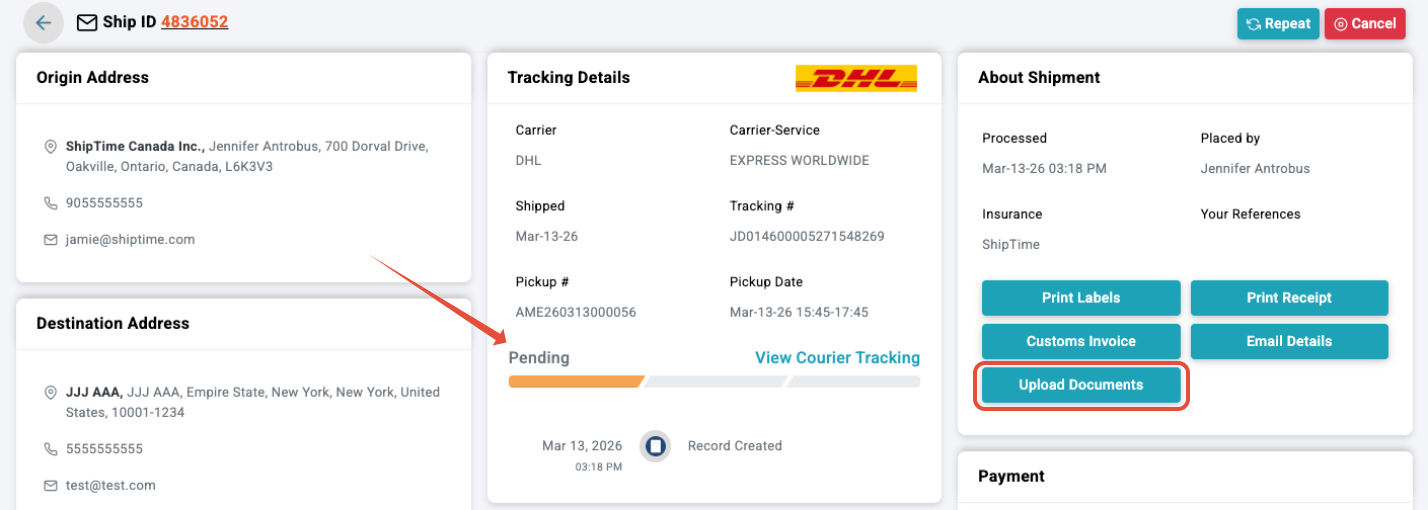
2. Click Upload Documents and select an existing document or upload a new document, and add it to your shipment
ShipTime allows you to store documents and reuse them across shipments, making it easier to manage repeat documentation requirements for international shipping.
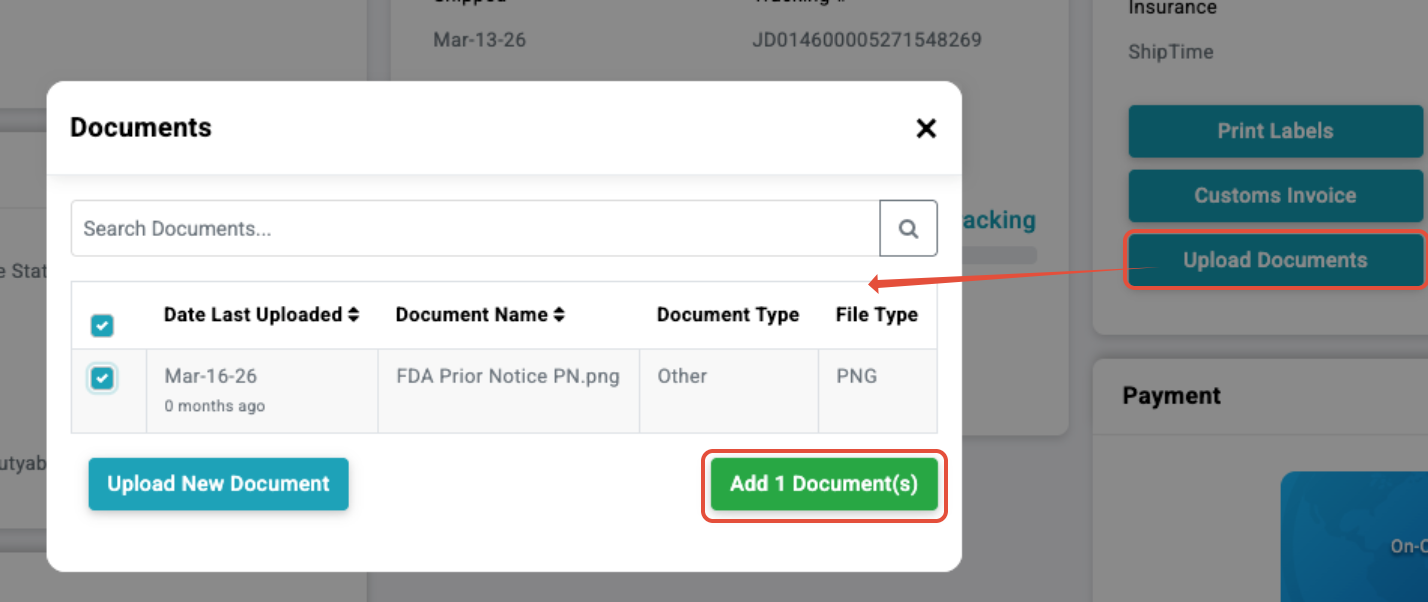
3. If successfully added, a pop-up message will display:

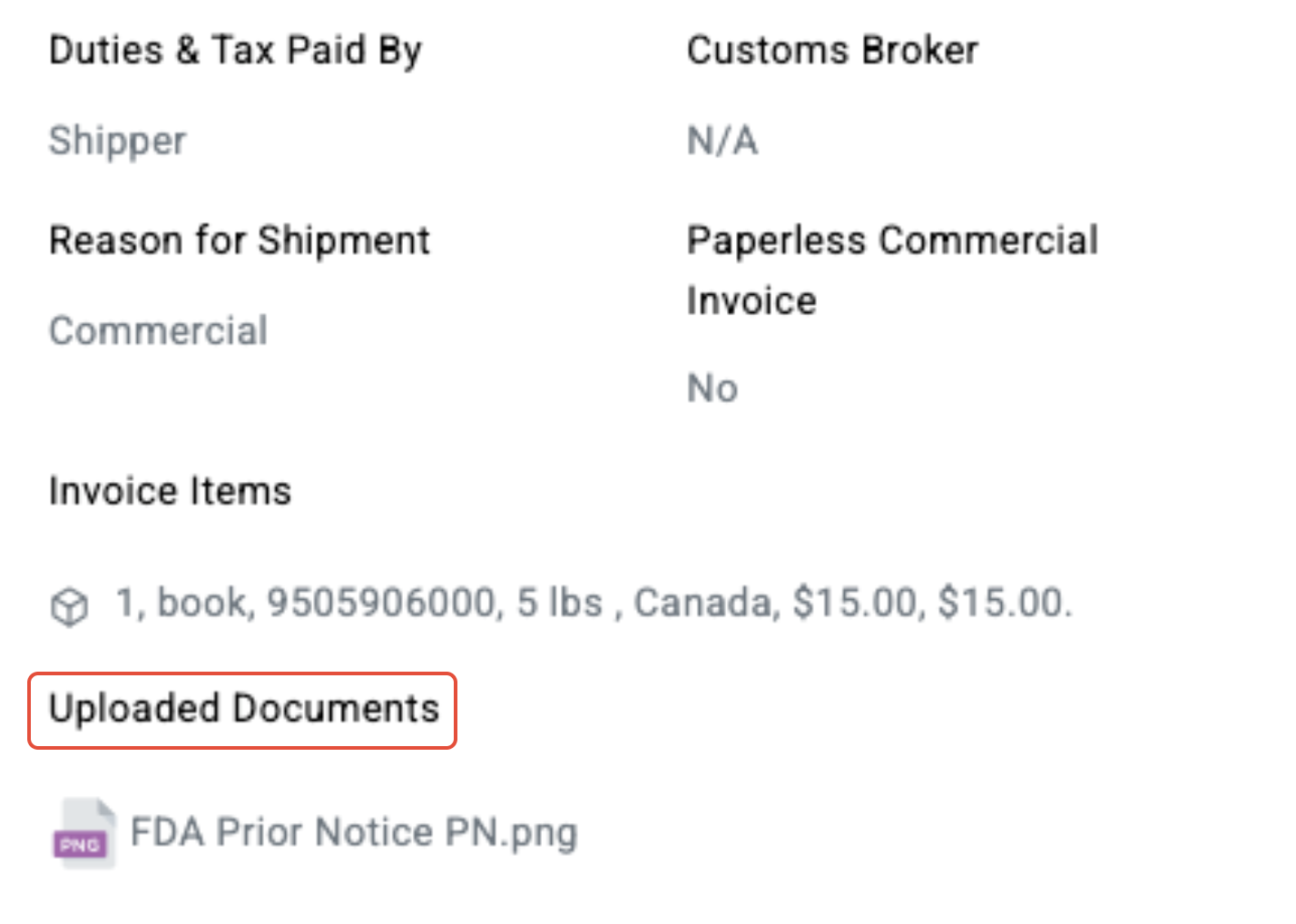
The attached document can also be seen in the Customs Invoice area, where it becomes part of the shipment’s customs documentation package.
Need a Shipping Quote?
If you are preparing an international shipment and want to compare courier options, ShipTime allows you to instantly compare rates from major carriers, estimate duties and taxes, and generate shipping labels in one platform.
This helps businesses choose the right service level while maintaining visibility over total shipping costs and delivery timelines.
FAQ's
1. Can I still add a document once the shipment is dropped off?
No. Once the courier has updated the tracking, it is no longer possible to add documents and the option will not be displayed. For best results, ensure all required customs documentation is uploaded before the shipment is handed to the courier.
2. Which couriers can I upload documents to?
Currently, this feature is available for shipments with:
Support for additional couriers may be expanded as documentation capabilities evolve across courier networks.
3. Where can I find out more about FDA Prior Notice?
Please click the link here.
Not a ShipTime Member Yet?
If you regularly ship internationally and need a better way to manage customs documentation, duties and taxes, and courier options, ShipTime provides a unified logistics platform designed to give businesses greater visibility and control over their shipping operations.
With ShipTime, you can compare rates from leading couriers, generate labels, upload shipment documents, and manage international shipments all in one place.
Not a ShipTime member yet? Join today for free and start Shipping Smarter.