
Yes, ShipTime offers a developer API that allows seamless integration with your systems. Designed for flexibility and ease of use, our REST API enables you to incorporate ShipTime’s shipping services directly into your own applications or platforms.
API Features and Documentation
REST API with Basic Authentication (Development Sandbox):
Simple and secure integration
Endpoints start with /rest
The Sandbox environment allows you to test and refine your integration before going live.
Access sandbox documentation here: ShipTime API Sandbox.
REST API with OAuth (Production)
Simple and secure integration
Endpoints start with /rest (except Auth endpoints)
Using the Production environment allows you to quote shipping rates, create shipments and labels, schedule pick-ups and track packages.
Access production documentation here: ShipTime API Production.
How to Get Started
Request Development Credentials:
Contact techsupport@shiptime.com to request credentials for the Sandbox environment.
Work with a Developer:
ShipTime recommends working with a developer to implement the API and ensure a smooth integration.
- Best Practices - Sandbox
- In Special Instructions, add " Test booking Not for Pick up"
- Select Drop-off, not Pick-up, when testing rates only
- If a Pick-up is added, set a pick-up date as far as possible in the future
- ALL shipments should be cancelled - same-day
*Please Note: Rates and services returned on Sandbox are only for development purposes of completing and integrating a shipping workflow. They do not reflect the pricing or services that would be returned on production.
Moving to Production
Access Integration options in the ShipTime UI
Click Integrations - My Integration and select API
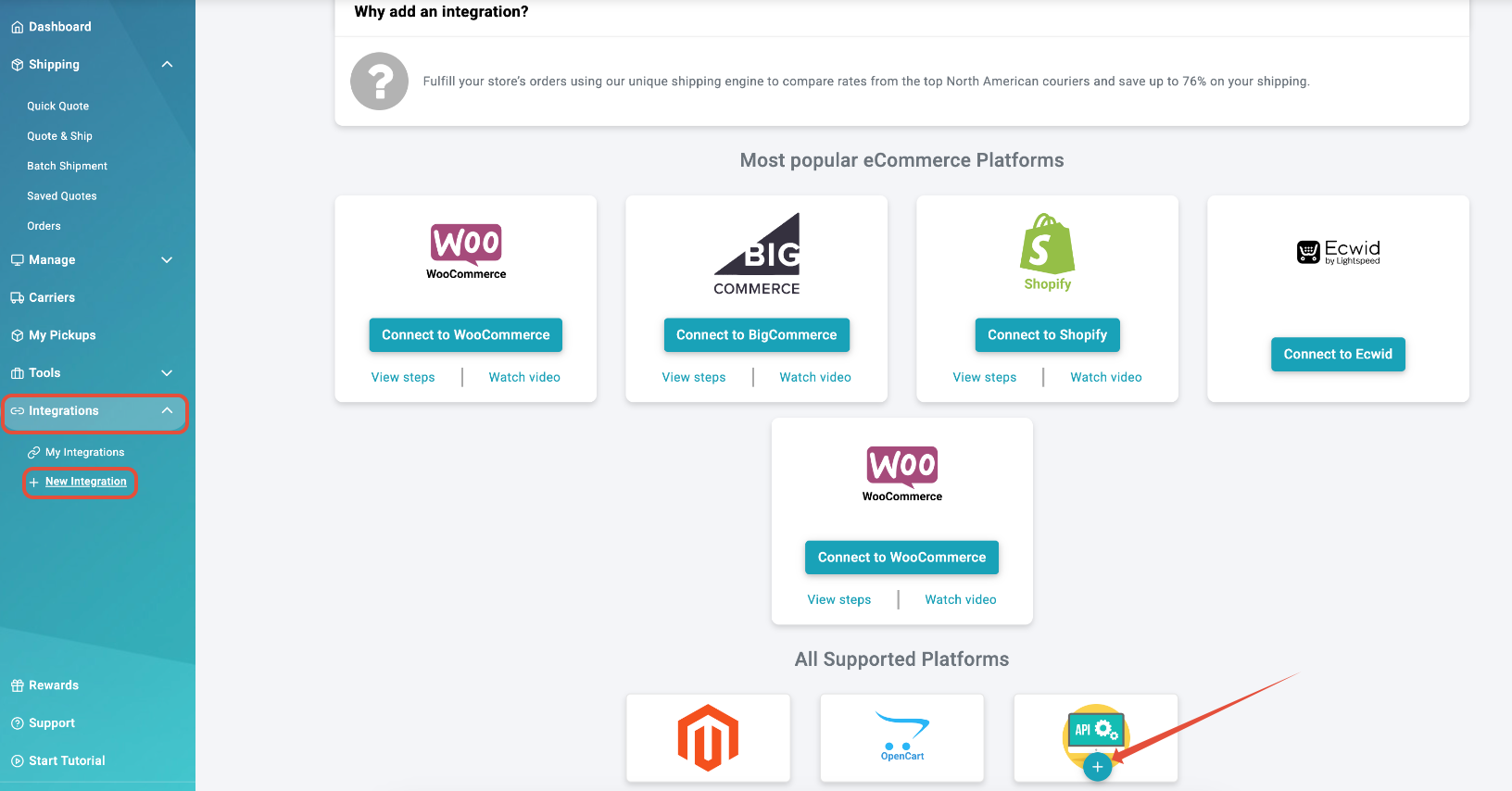
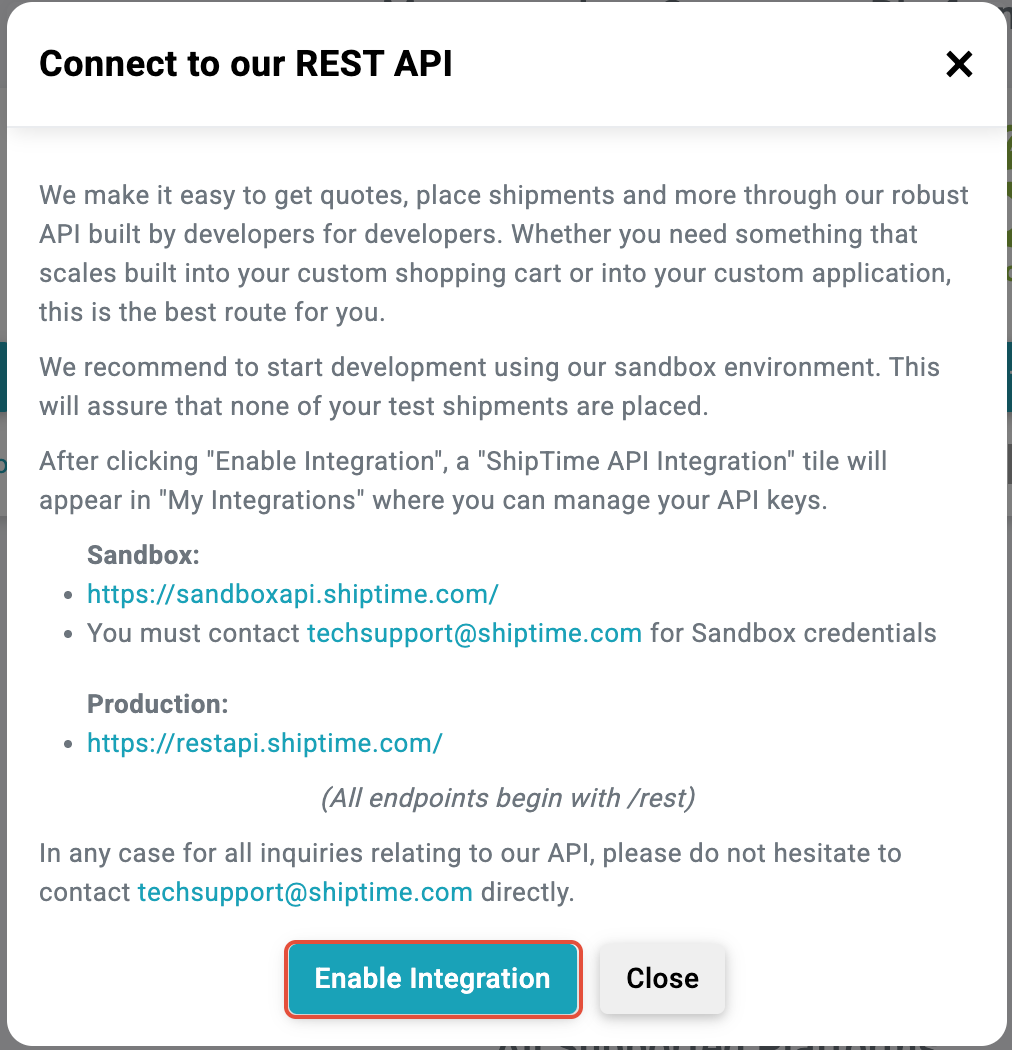
Click the (+) and then Enable Integration
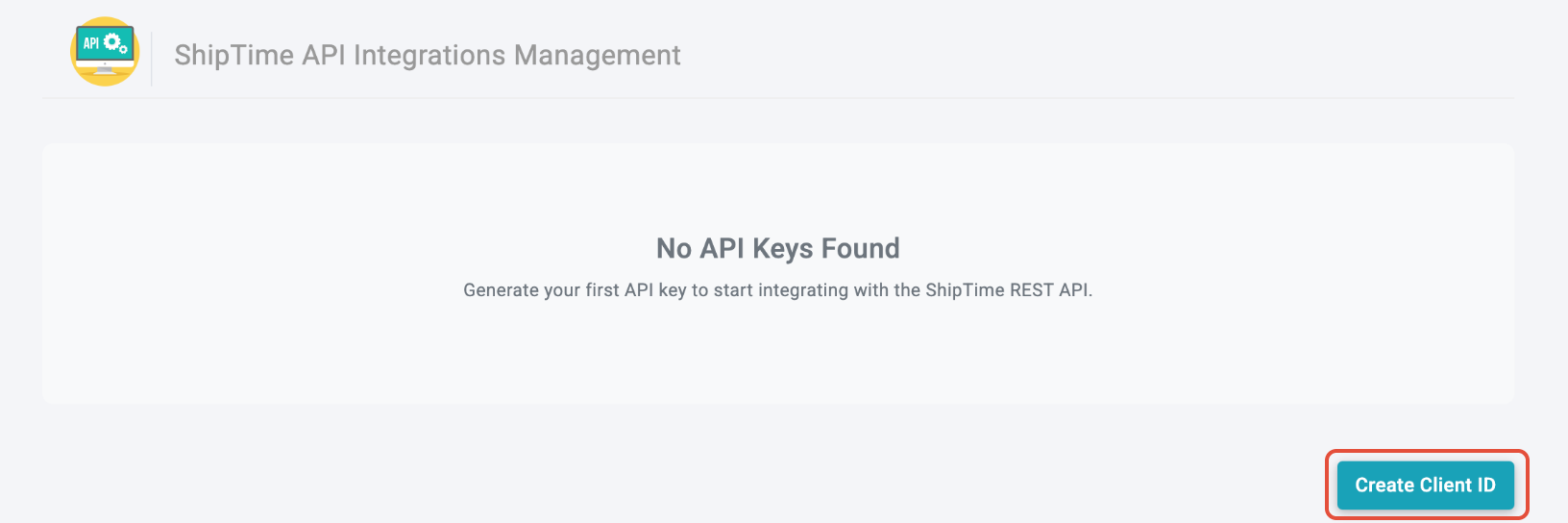
The API Integrations Management screen will display. Click Create Client ID
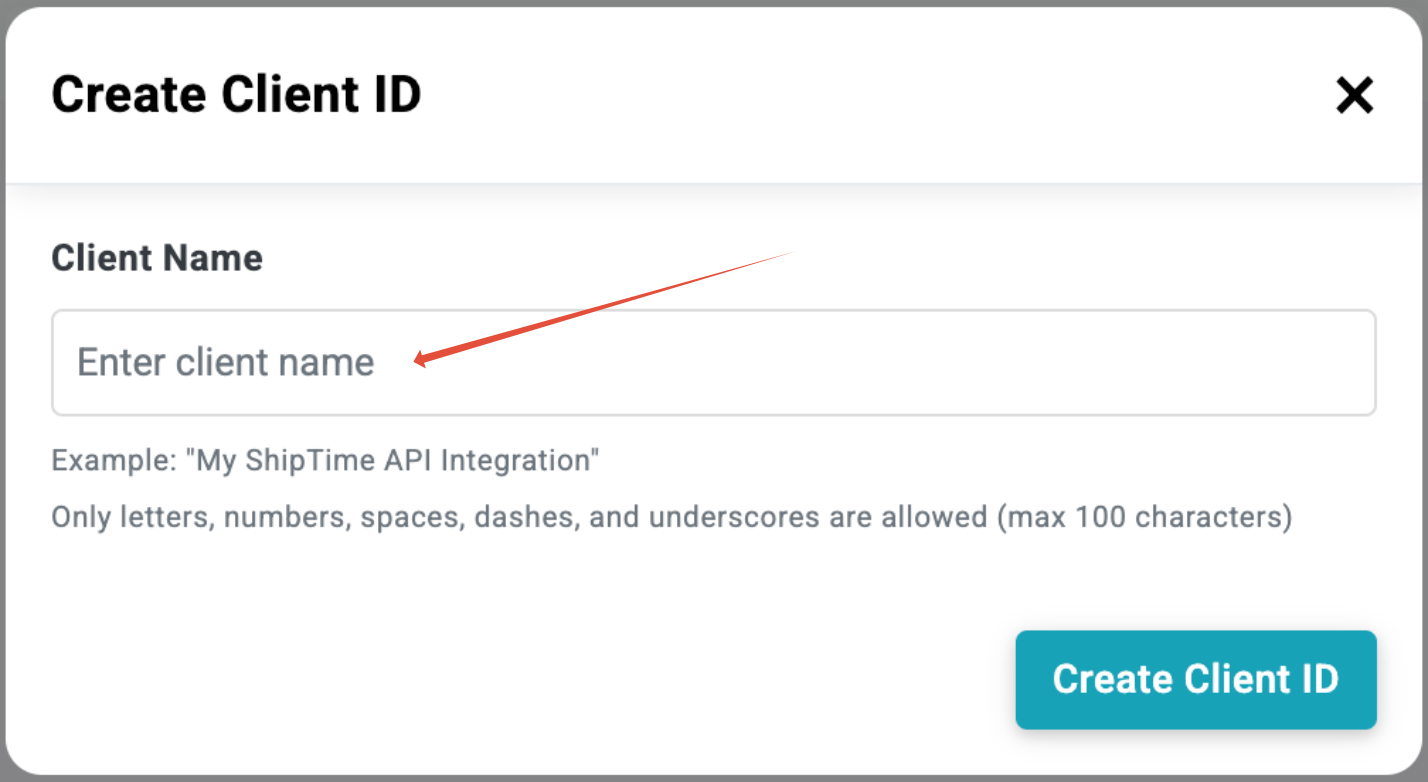
You will be asked to add a name for your integration. Enter the name and click Create Client ID again
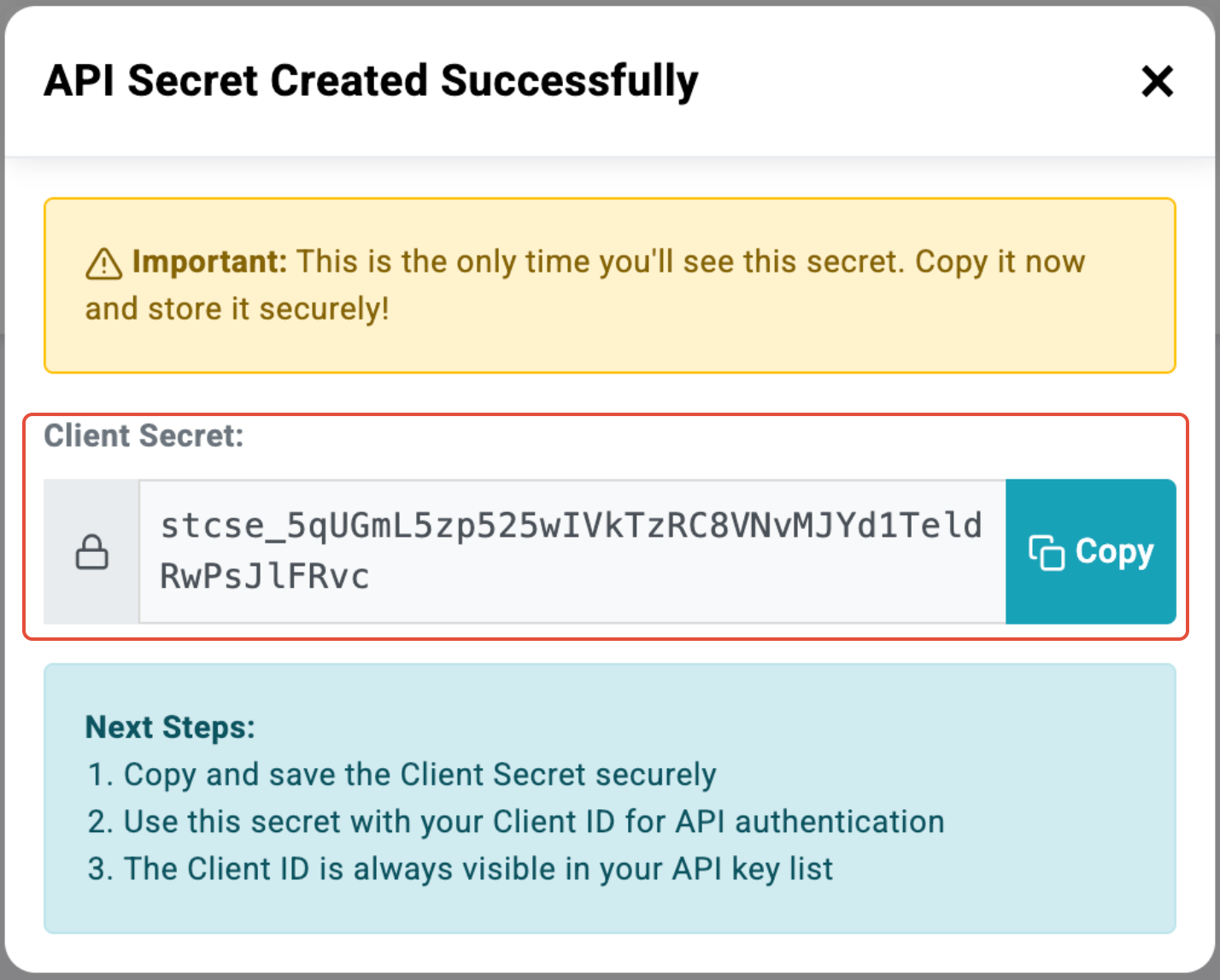
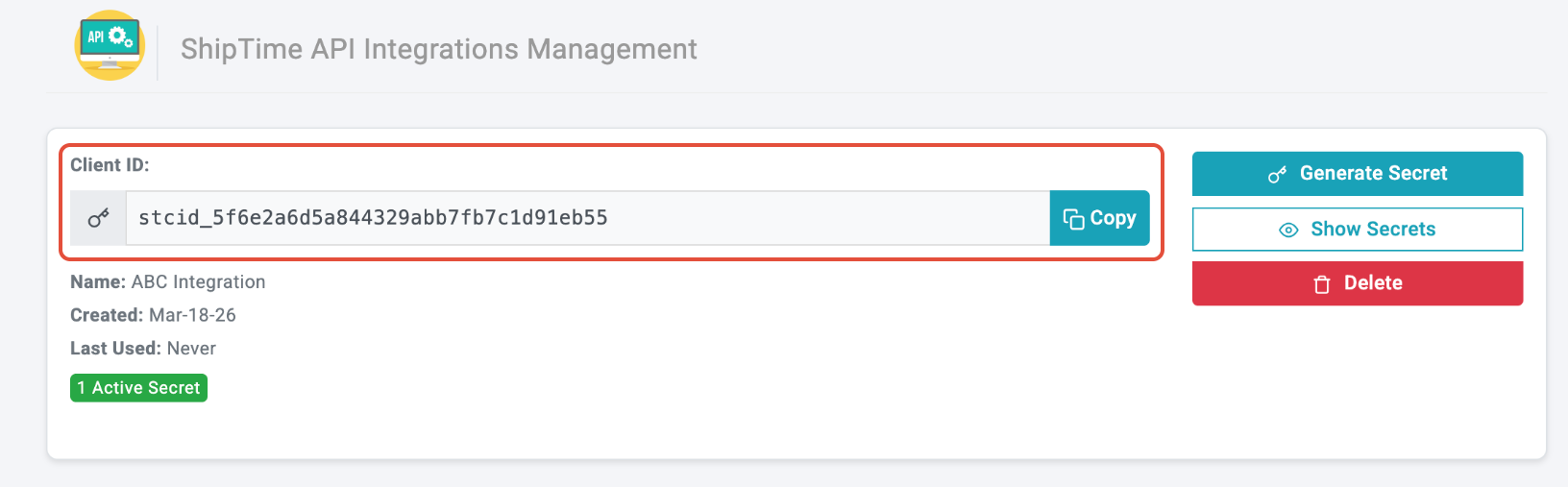
Your API Secret and Client ID have now been created. Note: the API Secret will only be displayed once - Copy and Store. Once the window is closed, you will see the Client ID
Using the API
Request an access token
Exchange your credentials at the token endpoint:
```bash
curl -X POST https://restapi.shiptime.com/oauth2/token \
-d "grant_type=client_credentials" \
-d "client_id=<your Client ID>" \
-d "client_secret=<your API Secret>"
```
- **Method:** `POST`
- **Content-Type:** `application/x-www-form-urlencoded`
- **`grant_type`:** must be `client_credentials` (the only grant type currently supported)
**Success response (`200 OK`):**
```json
{
"access_token": "eyJhbGciOiJIUzI1NiIsInR5cCI6IkpXVCJ9...",
"token_type": "Bearer",
"expires_in": 3600,
"scope": "orders:write,boxes:read"
}
```
Call the API with the token
Send the access token in the `Authorization` header as a Bearer credential:
```bash
curl https://restapi.shiptime.com/rest/rates \
-H "Authorization: Bearer <access_token>" \
-H "Content-Type: application/json" \
-d '{ ... }'
```
NOTE - Token lifetime - Access tokens are valid for 1 hour. Tokens are stateless, and there is no refresh token for the client credentials grant. When a token expires, simply request a new one. A good practice is to cache the token, reuse it until shortly before it expires, and re-request on demand or on a 401 response
0Auth error responses
The token endpoint returns standard OAuth 2.0 (RFC 6479) errors```json
{
"error": "invalid_client",
"error_description": "Client authentication failed"
}
```
HTTP status error meanings:`401` - `invalid_client` : The `client_id` / `client_secret` is missing or incorrect.
`400` - `unsupported_grant_type: The `grant_type` was not `client_credentials`.
`400` - `invalid_request` :| A required parameter (`client_id`, `client_secret`, `grant_type`) is missing or empty.
To resolve 401 "invalid_client" errors, request a fresh token and retry.
- Best Practices - Production
- It is not recommended to create "test" shipments in Production. Shippers will be liable for any associated charges
- Select Drop-off, not Pick-up, when testing rates only
- Become familiar with carrier rates and surcharges. For example, Nationex will charge for missed pick-ups, and Uber will charge for the full shipment once the driver is dispatched.
By integrating with ShipTime’s API, you can streamline your shipping processes, automate tasks, and take advantage of ShipTime’s features directly within your own platform.
For additional support, contact our Tech Support Team via: techsupport@shiptime.com