
Using Processing Time in ShipTime
Processing Time is an optional tool that allows eCommerce merchants to adjust the transit days displayed to customers at checkout. This feature is especially helpful for businesses that need additional time to prepare, package, or fulfill orders before the carrier’s transit window begins.
When Processing Time is enabled, the transit days shown to customers on your eCommerce site will include your added buffer time. Once the order syncs into your ShipTime account, you will still see the regular carrier transit times that apply to the shipment.
How to Enable Processing Time
Follow the steps below to set up Processing Time for your integrated store.
1. Log in to Your ShipTime Account
Navigate to your dashboard.
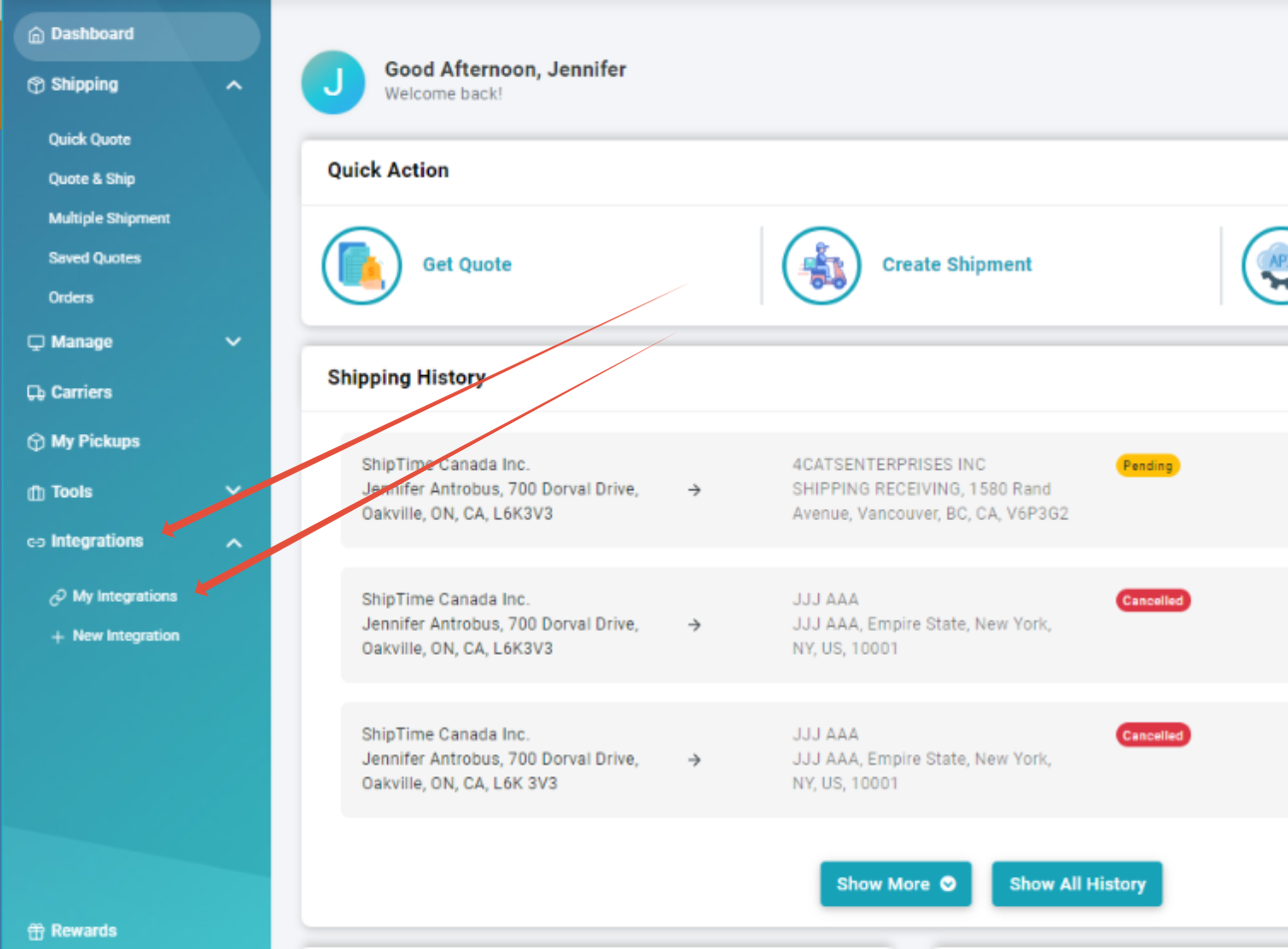
2. Go to Integrations
On the left menu, select Integrations, then click My Integrations.
3. Select Your Store
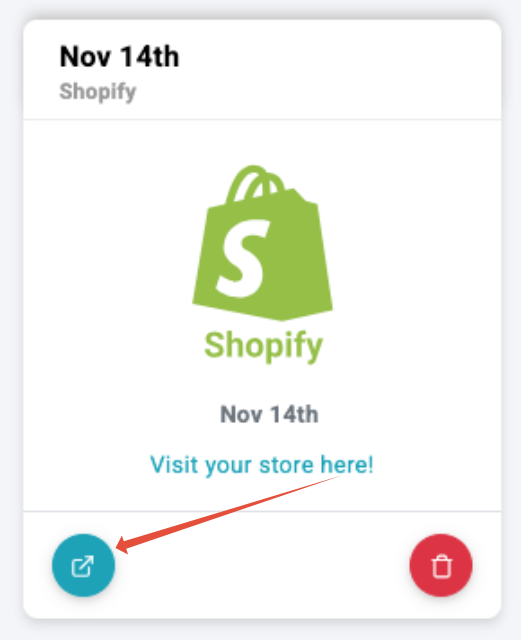
Click Manage Store on the integration where you want to add Processing Time.
4. Enable or Edit Real-Time Rates
If Real-Time Rates are not yet enabled, click Enable Rates.
If Real-Time Rates are already active, click the edit icon to the right of Processing time (days).

5. Enter Your Processing Time
Add the number of days you want added to the displayed transit times, then click Save.

6. Enter Your Default Dimensions
Add your default package dimensions to optimize rating accuracy.
7. Choose Your Preferences (Optional)
Select any applicable checkout preferences:
Signature Required
Include residential surcharge
Include Insurance
Quote based on Individual Items or Packaged Items
8. Enable Your Settings
Click Enable to activate the updated configuration.
A confirmation message will appear after rates are successfully added. Processing Time will now be included in carrier transit estimates shown to customers during checkout.

NOTE - The customer on the eCommerce site will not see any indication that processing time has been added. They will just see updated transit times.
Need Assistance with Processing Time or Integrations?
You can always contact our Heroic Support™ team. Our bilingual experts are available by phone, live chat, or email Monday to Friday from 8:30 AM to 8 PM EST.