
Create labels today. Pay only when they ship.
Scan-Based Billing is a shipping billing method where the shipping charges are billed only after the carrier performs the first physical scan of the package, rather than when the shipping label is created.
To be eligible, a Shipper needs to be on credit and approved for this option. Please get in touch with your ShipTime Account Manager for more details. (Not on credit? Click here for more information.)
How it works
- A shipping label is created.
- The package is prepared, but no payment is processed. Good to know: This allows you to prepare shipments in advance without immediate shipping charges.
- The carrier picks up or receives the package and performs the first acceptance scan.
- The shipment is considered "used," and the shipping charges are billed.
- If the carrier never scans the package, the shipment is generally not billed
Why Use Scan-Based Billing?
- No charges for unused labels that are never shipped.
- More accurate billing based on shipped packages.
- Reduced need for refunds if shipments are cancelled before being handed to the carrier.
- Better for businesses that generate labels in advance but don't always ship every package.
- Allows for the creation of return labels that can be sent with the initial shipment and only billed if used
Scan-Based Billing with ShipTime
When the shipment is created, the price returned is an estimate only. The carrier's scan is used to determine the final shipping charges.
The shipper must acknowledge and agree that the final shipping charges will be determined by the carrier and agrees to accept the charges assessed by the carrier based on its scan and billing process.
Eligible services
- Standard Package shipments (Non-LTL)
- Domestic routes (Except Nationex, Precision Deliveries, Uber)
- ShipTime carriers (BYOR not supported)
How to Create a Scan-Based Billing Shipment
- Follow the usual steps to enter shipment details and proceed to the Choose Carrier page
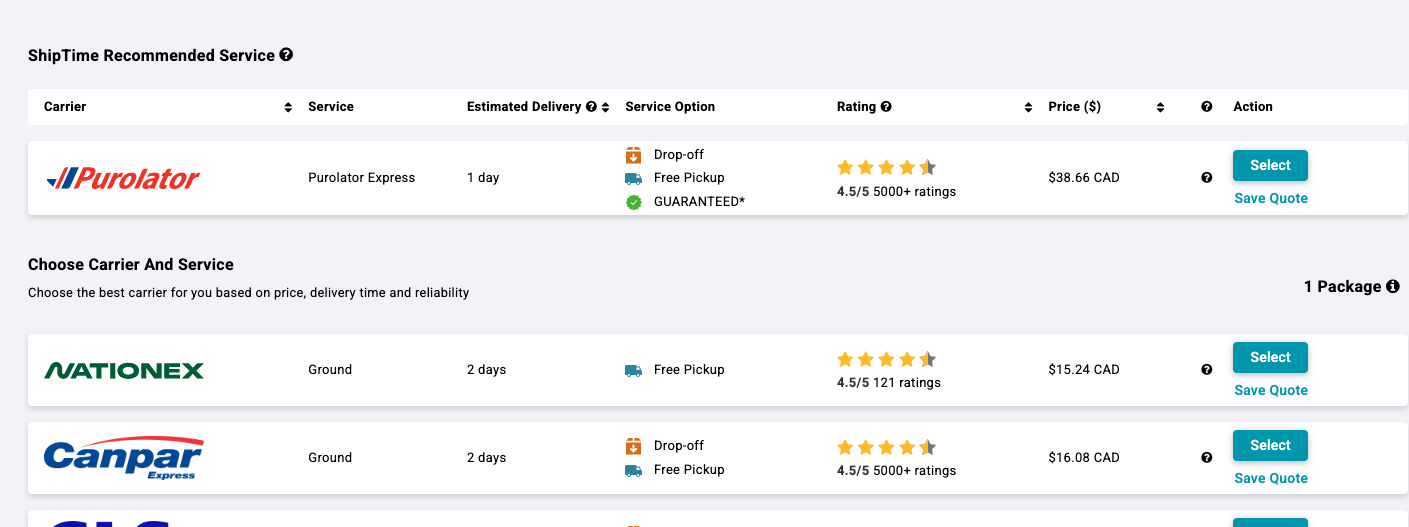
- Select the preferred carrier. If the carrier supports scan-based billing, an Estimated Cost will be displayed, and the Print Label option will be presented instead of Proceed to Pay
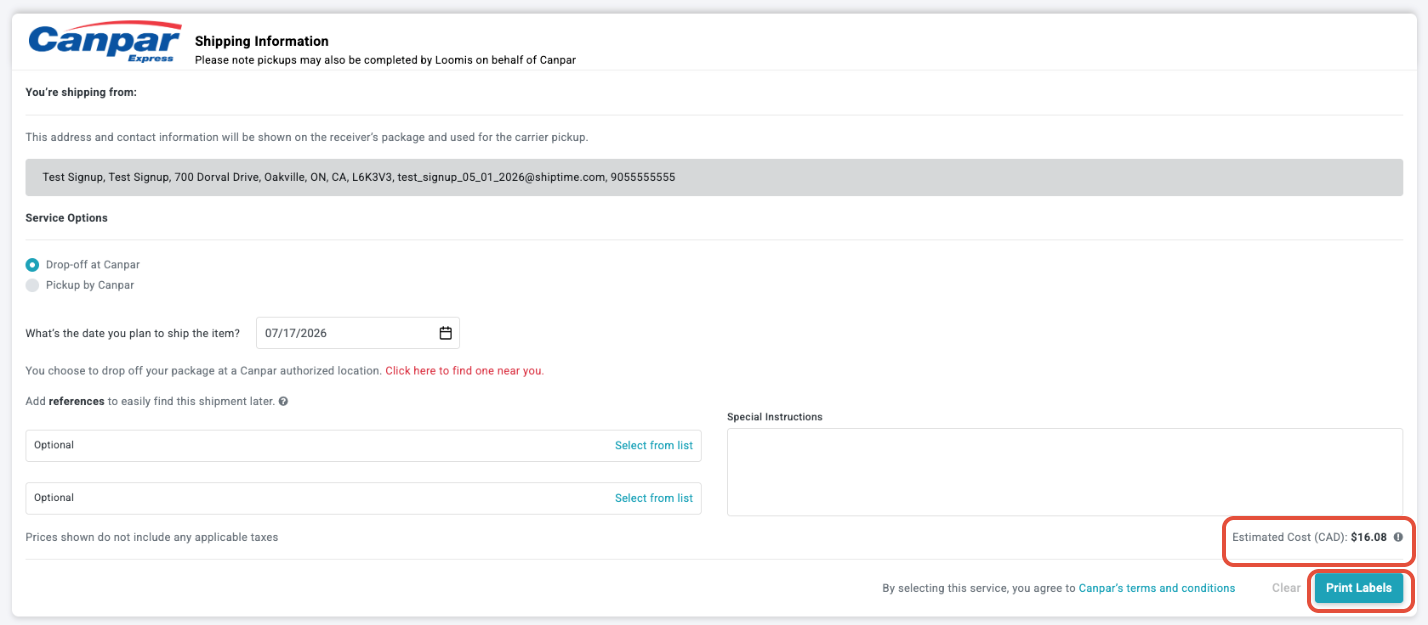
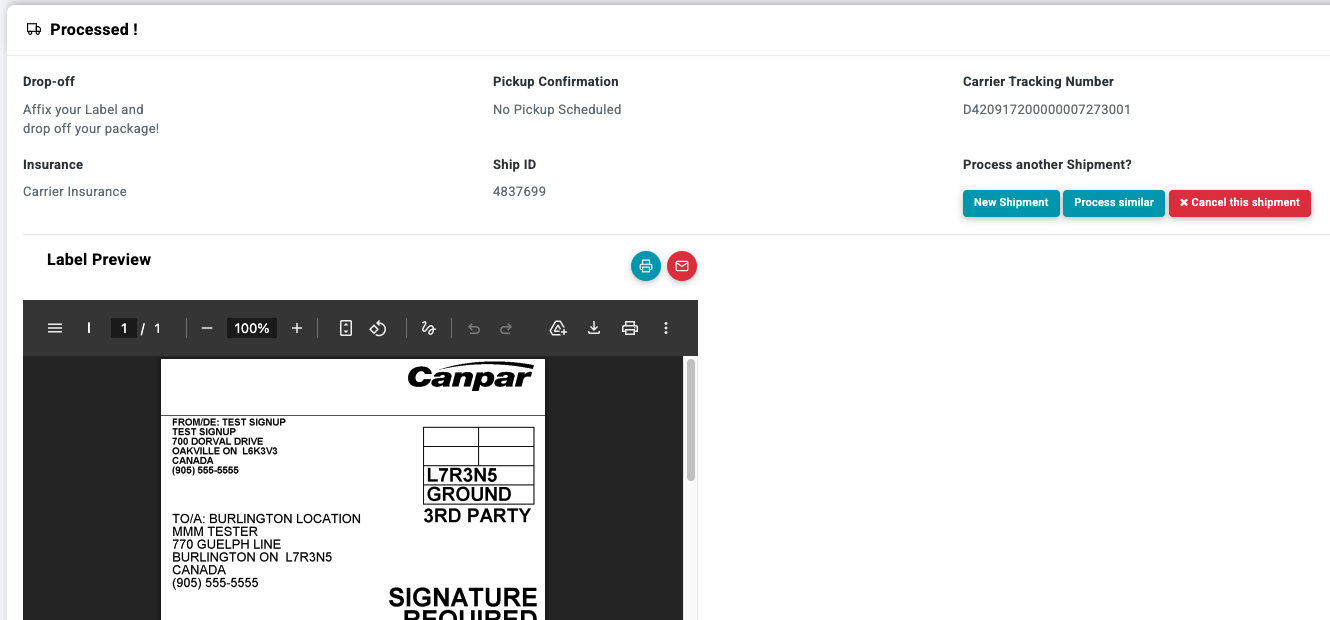
- Click Print Label to complete your shipment, and you are ready to go!
- Your shipment will appear in History & Tracking with shipment details but no payment or pricing information.
Note: Pricing will appear automatically after the carrier performs the first acceptance scan.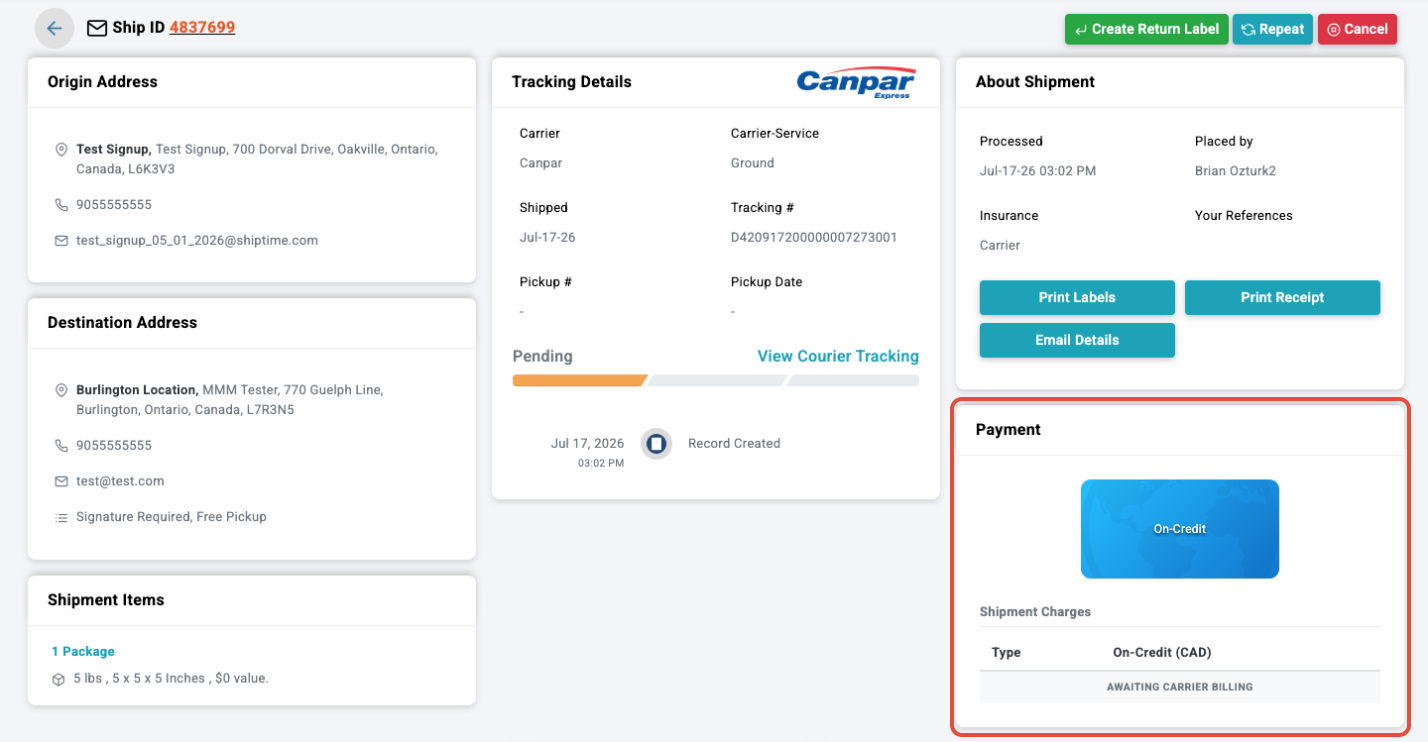
Label Expiry
Unused labels are set to expire based on carrier guidelines. Expired labels cannot be used for shipping.
Refer to the list below for auto-expiry by carrier
- Canada Post - 30 Days
- Canpar - 90 Days
- FedEx 14 Days
- GLS - 90 Days
- Loomis - 90 Days
- Purolator - No Expiry
- UPS - 90 Days
When Will I Be Charged?
Shipments will be included in your Invoice once the shipment has been scanned by the carrier.
Need Help?
Have questions about Scan-Based Billing or account eligibility? Our Heroic Support™ team is here to help. Contact us by phone, live chat, or email, and we'll help you Ship Smarter.